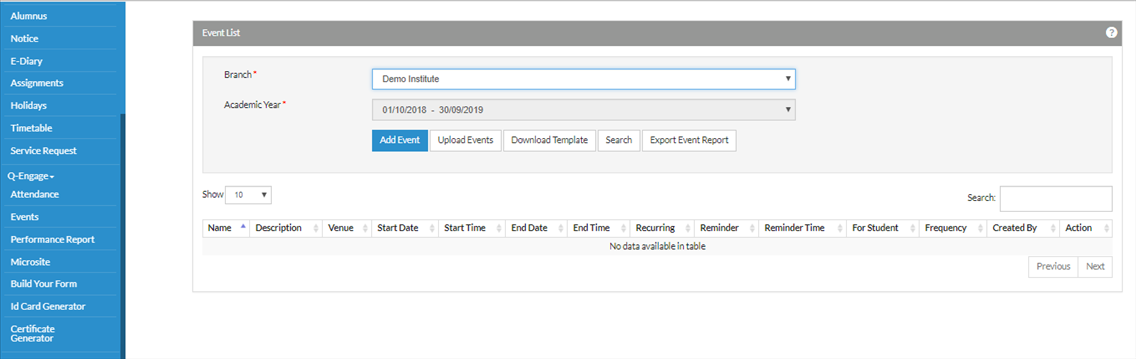
Select Q-Engage from the left side-> Click on Events
Select the branch -> Click on Add Event
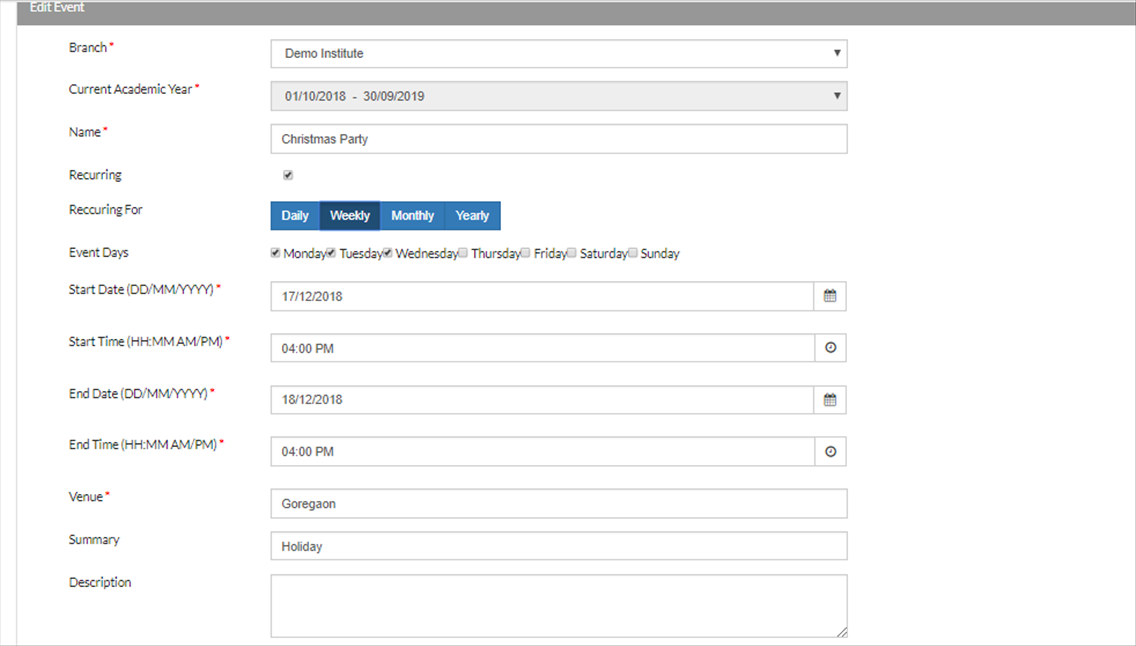
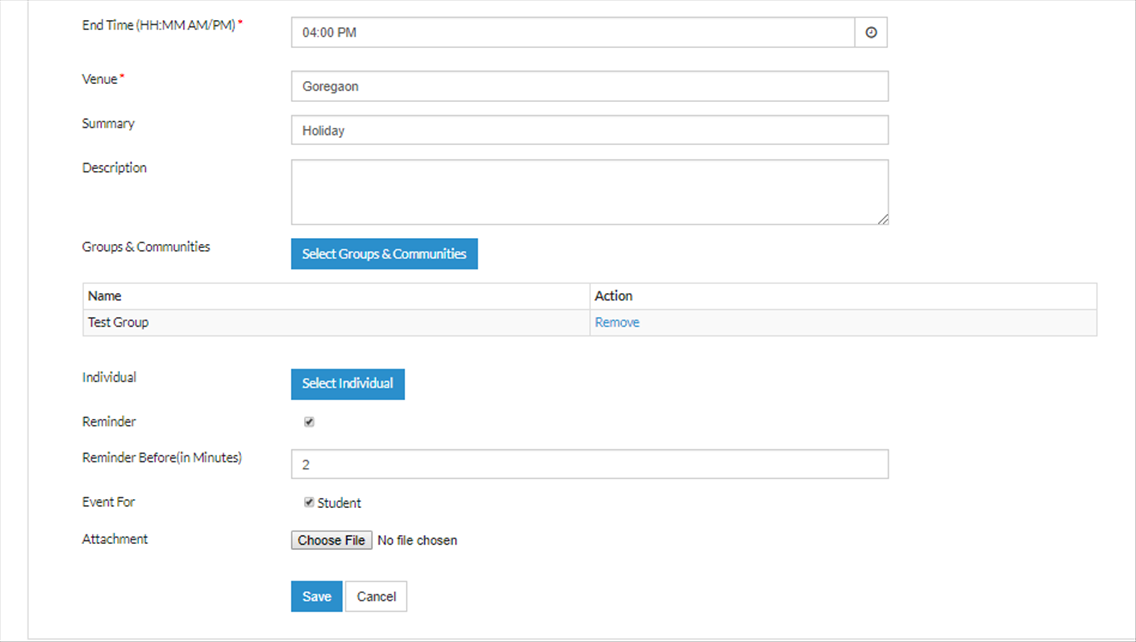
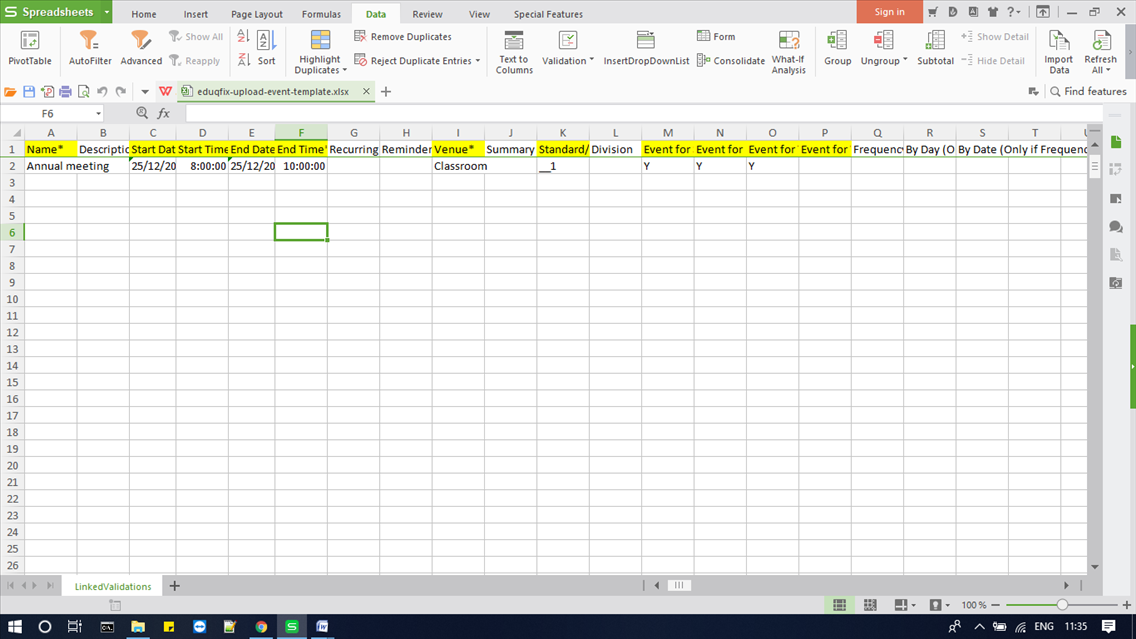
Fill the Mandatory fields like: Name : You can give the name of the event eg: Annual function, Meeting, Sports Event etc Mention the start date, start time ,end date ,end time in format hh:mm:am/pm. Mention the venue.
Event for checkbox is to be enabled to send the notification to students. Also, reminder can
be set to remind the user of the event.
Click on Save.
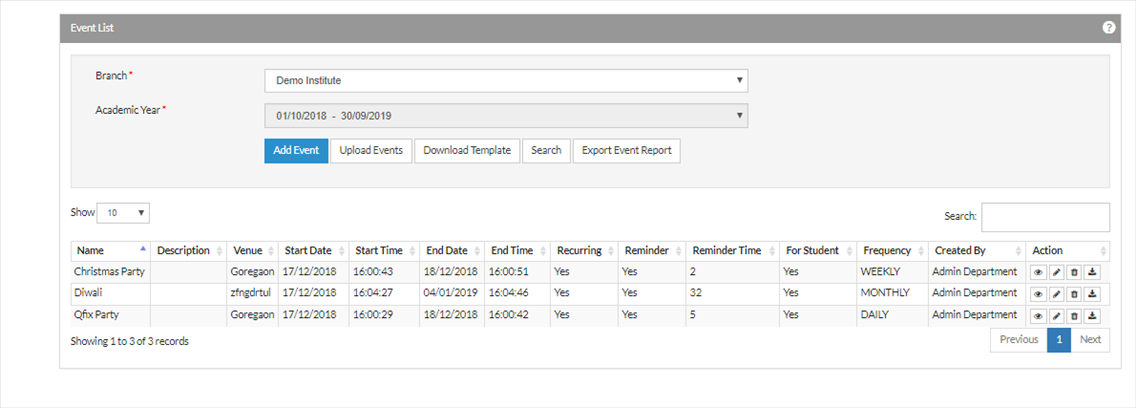
How can I edit,view,delete and download any event?
Click on the search -> Click on edit button.
Event can be added by click on Download template. Fill the mandatory fields and do Upload Events.