Education
Society
Toggle navigation
Back
Frequently Asked Questions (FAQ)
How to create Display Template?
1. From the user interface
Select Fees-> Select Display Template
Select the branch and click on “Add Display template”
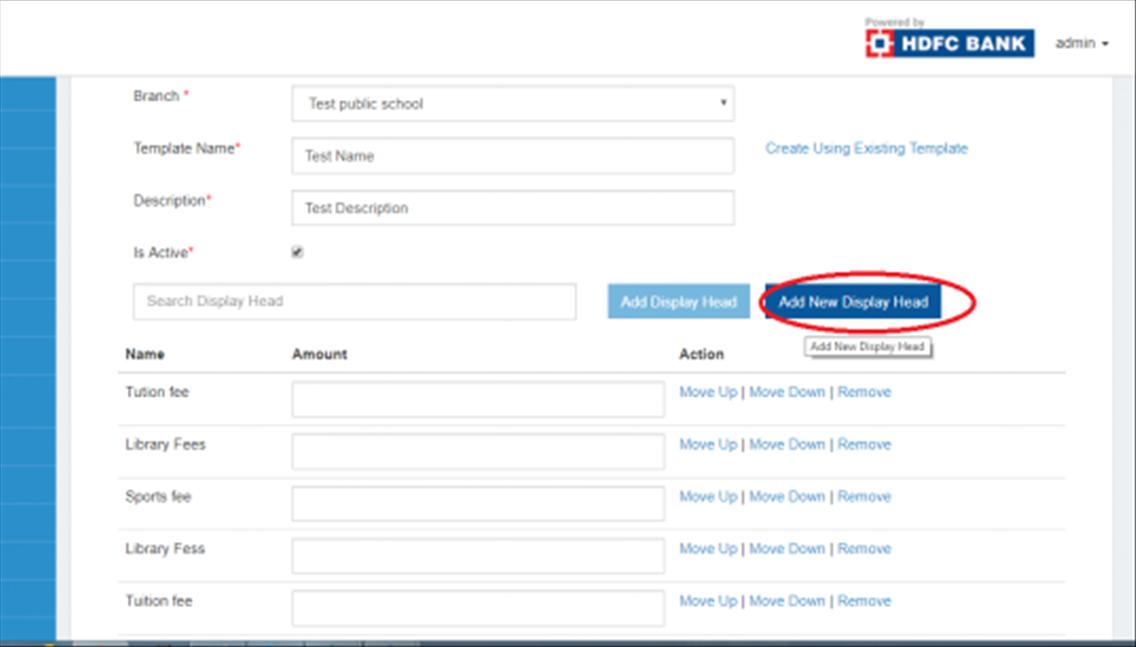
Type the template name, description and tick the “Is Active” checkbox.
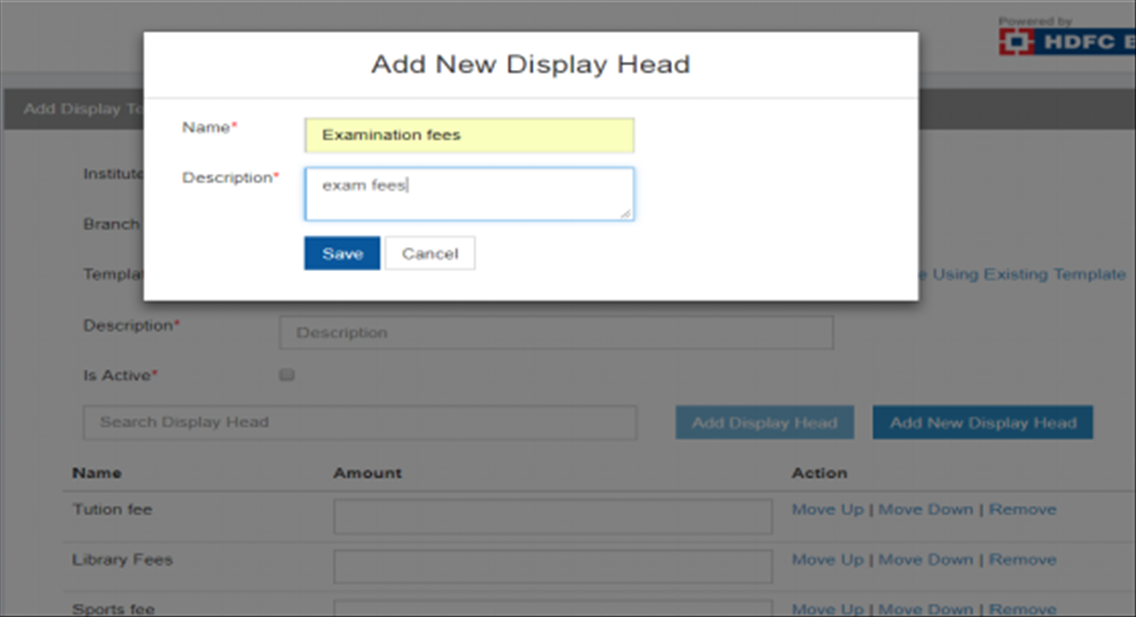
Display heads can also be added by Clicking on “Add New Display head” and type the name of the fees subhead and save.
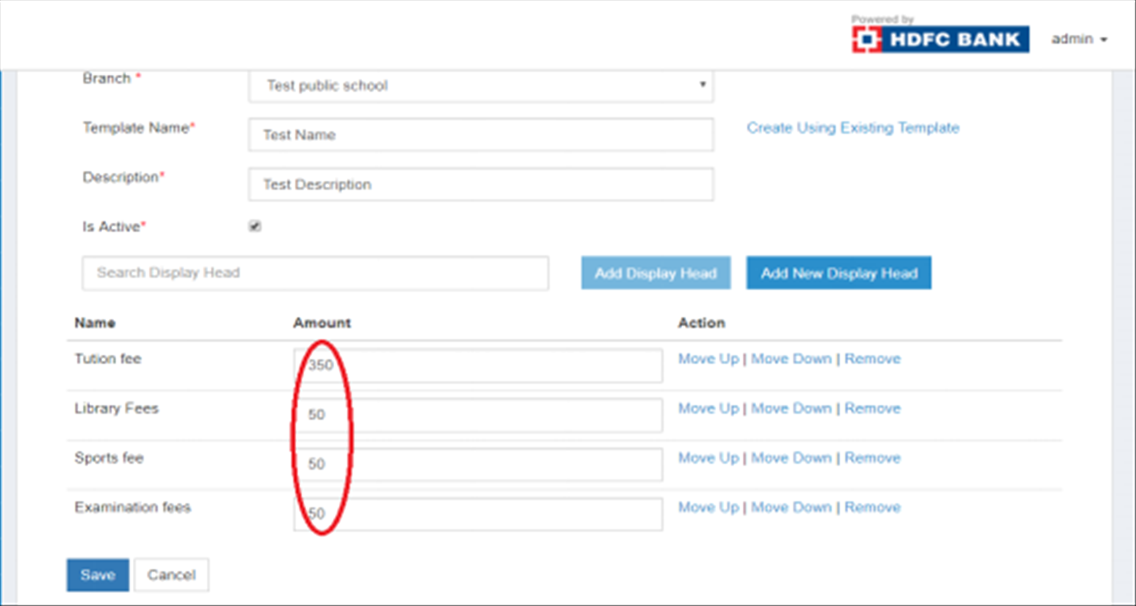
After adding all the display heads, Enter the amount for each display head and click on “Save”.
2. Creating Display Template Using Download and Upload Function
Click on the “Display Template” on the left
Select the branch and Click on Download Template.
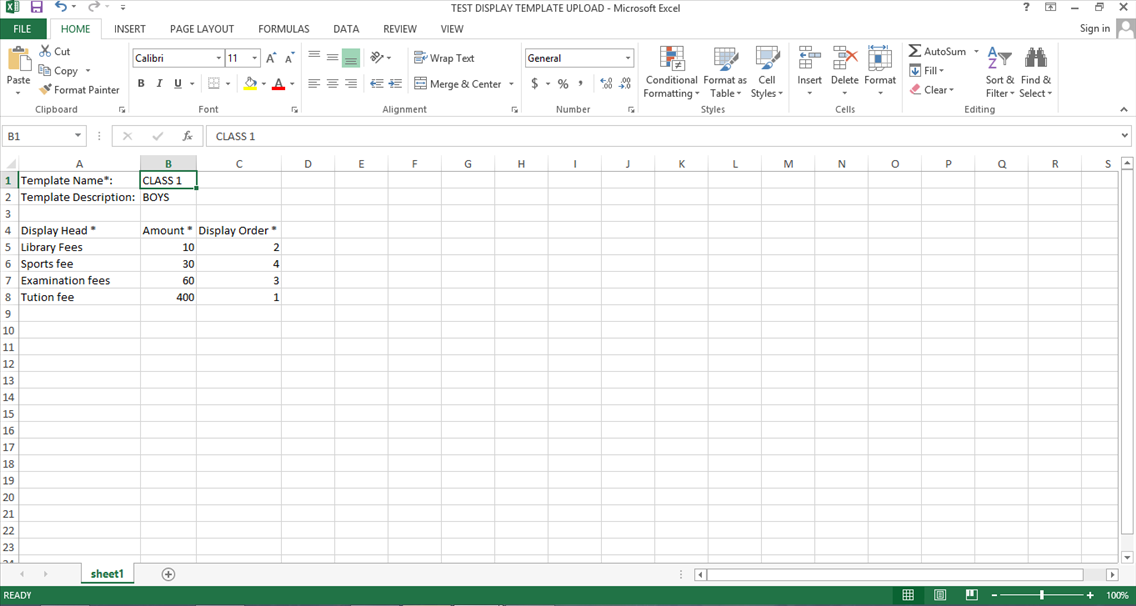
Type the Name and Description of the Template.
Select the Display Heads from the Dropdowns, and Type the Amount against each Display head
Add the order of display for each head, according to the display of ramifications required on the Receipt
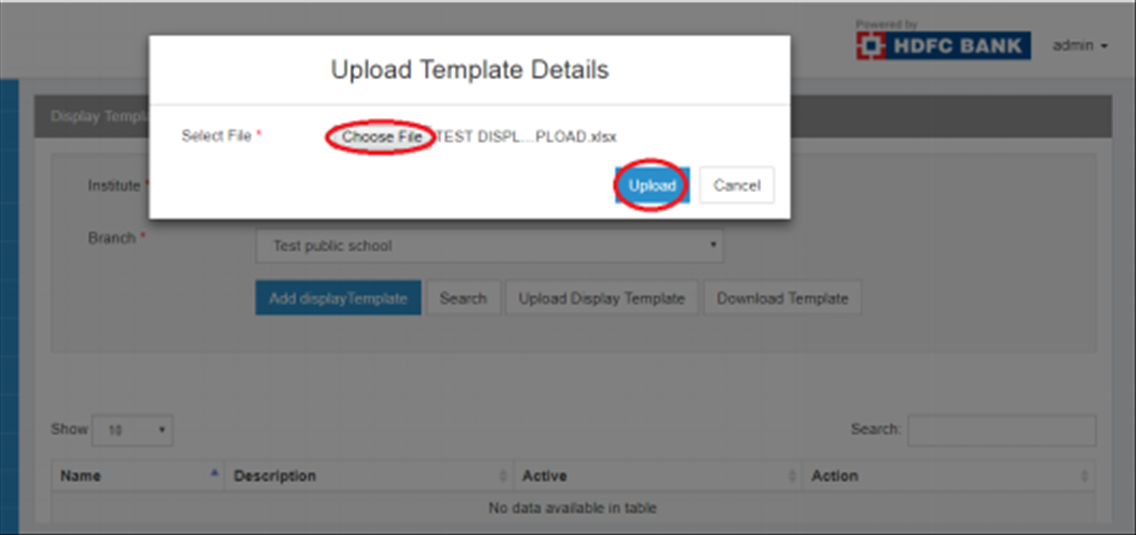
Save the File on the desktop and click on “Upload Display Template” on the UI
Select the file and Click on the “Upload” Tab