Education
Society
Toggle navigation
Back
Frequently Asked Questions (FAQ)
How to mark students as paid/unpaid from portal?
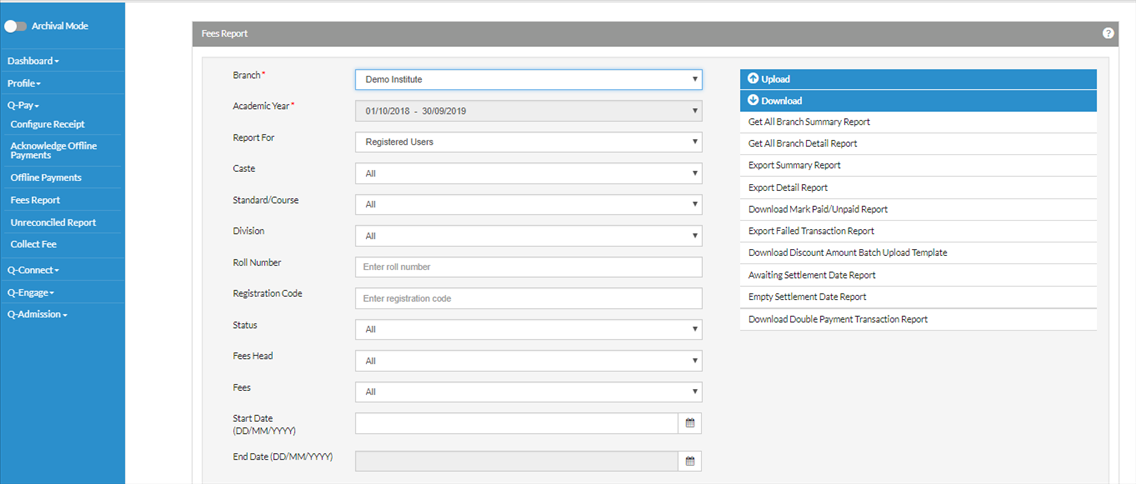
Select Q-Pay from the left options-> Fees Report.
Select the branch -> Download Mark Paid/Unpaid Report at the bottom -> Report will be downloaded.
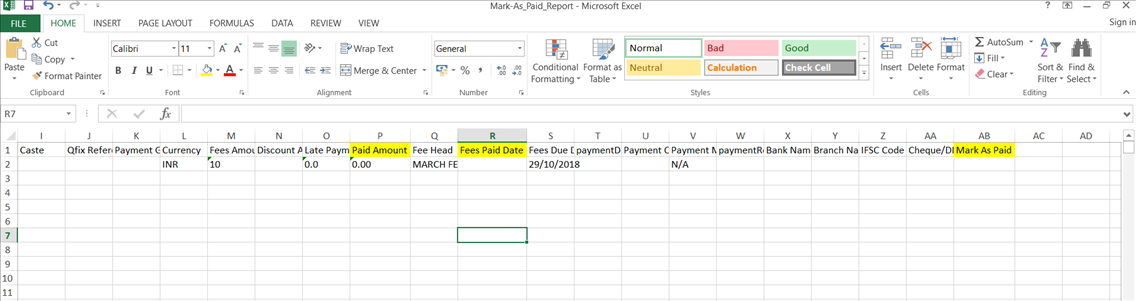
Open the downloaded file-> Fill the 3 mandatory columns i.e.
Paid Amount, Paid Date and Mark as Paid
-> Save the file.
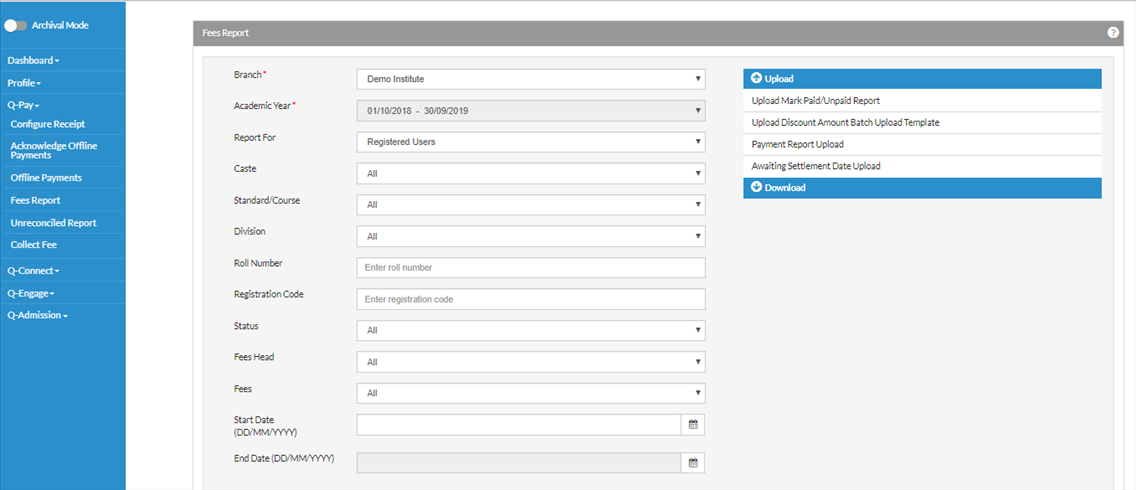
Click on Upload Mark Paid/Unpaid Report
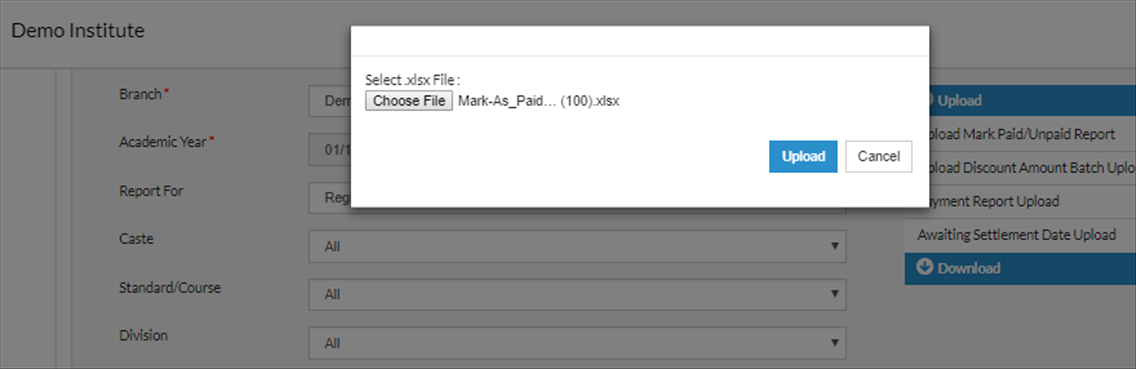
Choose the saved file-> Click on Upload
Other Way of marking as paid is On Screen.
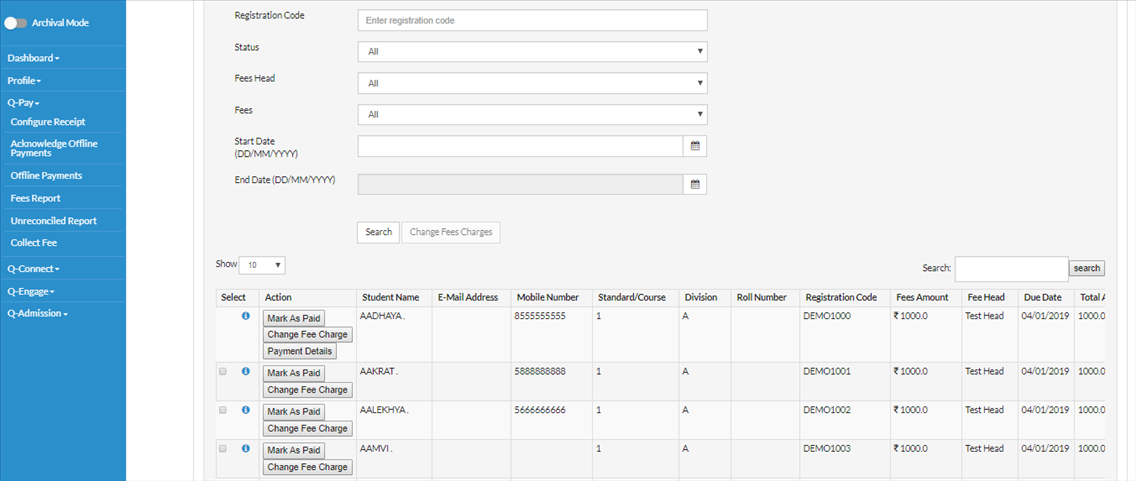
Q-Pay-> Fees Report-> Select Branch-> Click on Search at the bottom-> List of students will be shown with an option of mark as paid.
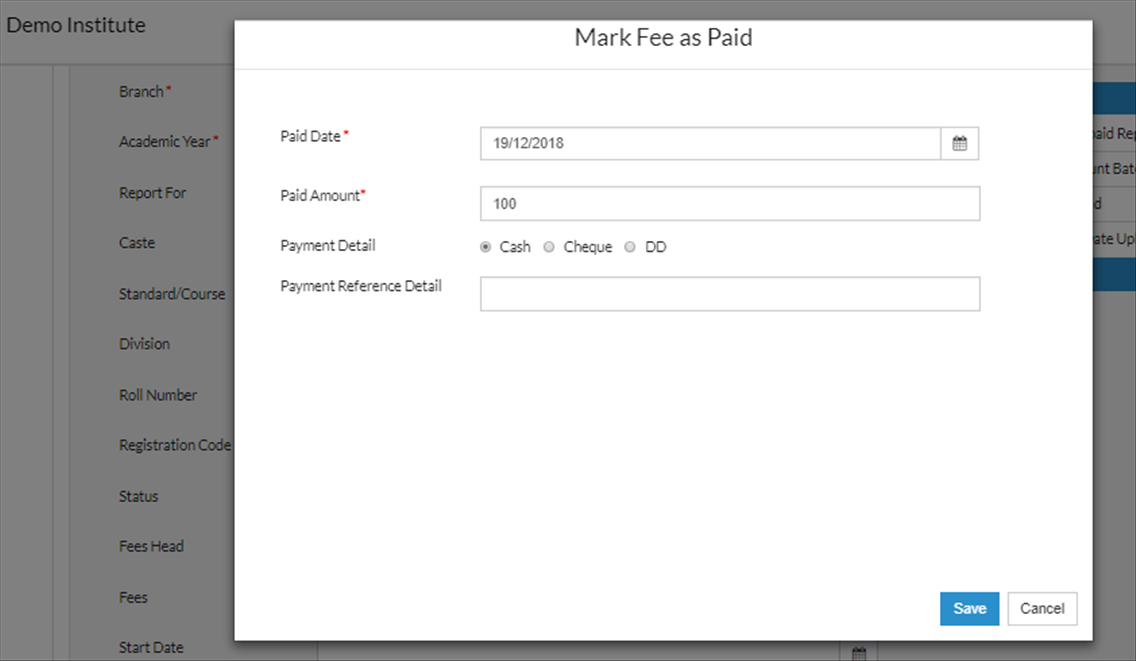
Click on Mark as Paid for the particular student-> Put paid, Paid Amount and Payment Detail -> Click on Save.
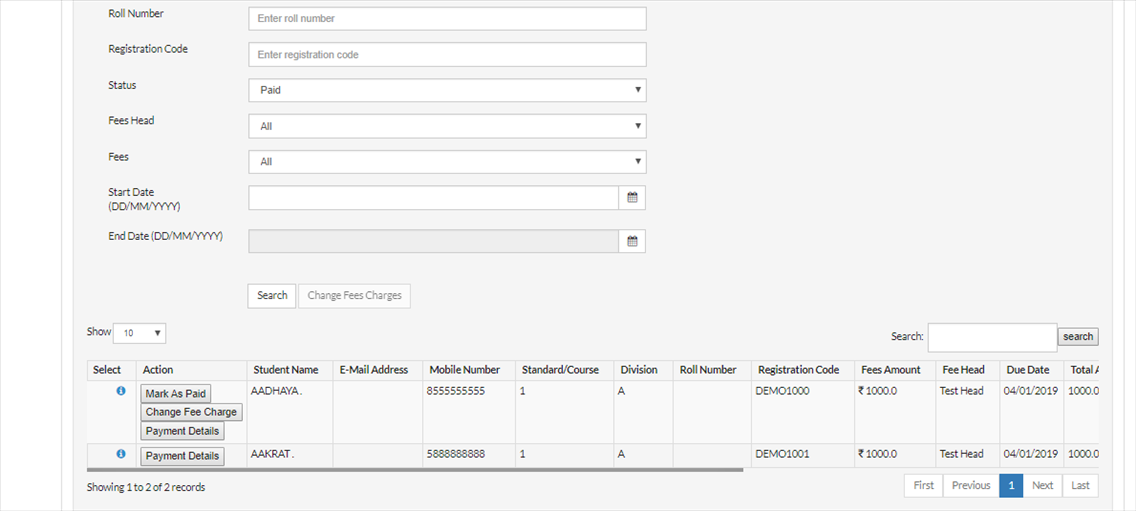
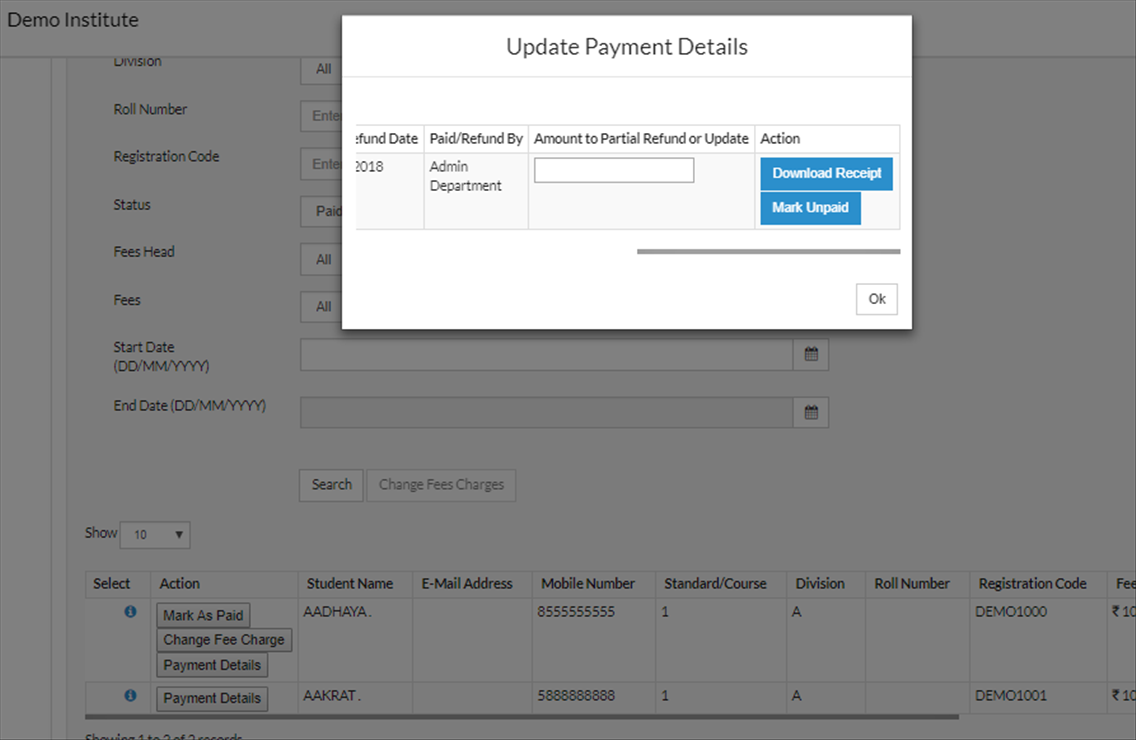
One can also download the Receipt for the paid mark student by clicking on Payment details option
Scroll to the extreme right ->Download Receipt-> OK