Education
Society
Toggle navigation
Back
Frequently Asked Questions (FAQ)
How to download Detail Fees Report?
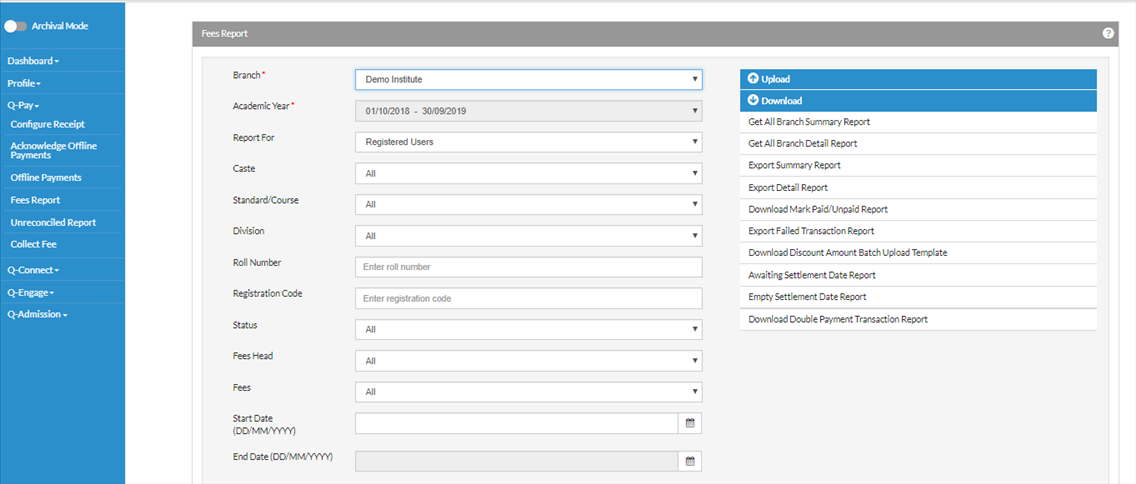
Q-Pay from the left options and then click on Fees Report.
Select the branch -> Click on Download dropdown on the right side -> Select Export Deatil Report-> Report will be downloaded
One can also download the filtered report on the basis of
Status(Paid/Unpaid/All)/Caste/Category/Standard/Registration Number/Fees Head